

The Digital Duo: Router vs. Modem Explained
NETWORKINGROUTERS
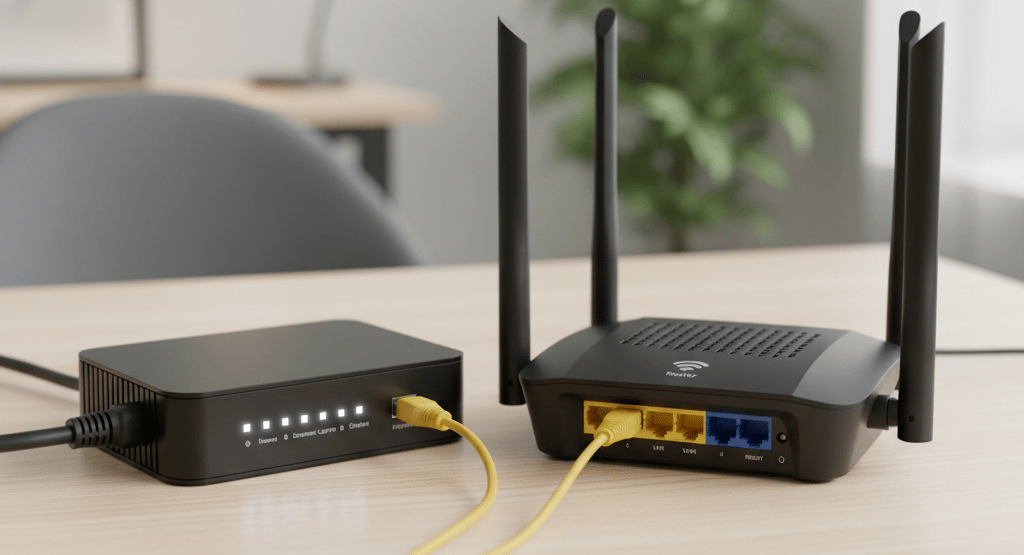
If you've ever set up internet access at home, you've likely encountered two rectangular boxes with blinking lights: a modem and a router. Most people don't give them a second thought, unless they stop working. They often sit side-by-side (or are combined into a single unit), leading to most people not actually knowing what each one of them does.
The truth is, both devices are essential, but they serve completely different purposes in connecting your home to the vast network we call the internet. Think of them as a dynamic digital duo: one gets you connected, and the other handles the traffic.
What is a Modem? The Internet's Translator
Router vs. Modem: Key Differences at a Glance
The easiest way to understand the difference is by knowing where each device's function ends and the other's begins.
The modem is the gateway between your home network and your Internet Service Provider's (ISP's) network. Its job is simple, yet vital: to translate the signals.
The term modem is from the function it's performing: MOdulator/DEModulator.
The Modem's Core Function
The internet travels over different types of physical infrastructure (coaxial cable, fiber optic lines, satellite, or telephone wires). These signals are rarely in the digital format (bits and bytes) that your computer uses.
Modulation (Outgoing Traffic): The modem takes the digital data from your router and converts (modulates) it into the analog (or specific digital) signal required for the transmission line (e.g., cable frequency or fiber light pulses).
Demodulation (Incoming Traffic): The modem takes the analog signal coming from the ISP and converts (demodulates) it back into the standard digital IP format (Ethernet) that your router and devices can understand.
Essentially, the modem connects your home to the outside world, acting as a mandatory translator. The modem is assigned a Public IP Address by your ISP. This is the single unique address the rest of the internet uses to find all of the devices in your household.
What is a Router? The Network Traffic Controller
The router is the device that creates and manages your local area network (LAN) inside your home. It’s the traffic controller that directs data between all your devices and ensures that traffic going out, and coming back from the internet is routed correctly.
The Router's Core Functions
A modern home router is a multifunctional device performing three primary tasks:
1. Routing (Direct Traffic)
The router operates at Layer 3 (The Network Layer) of the OSI model. Its primary job is routing, which means intelligently selecting the best path for data packets.
Local Traffic: When your smartphone sends a file to your smart TV, the router directs the traffic locally, ensuring the data never leaves your house.
External Traffic: When your laptop requests a website, the router ensures the packet is properly addressed and sent to the modem, which then sends it out to the ISPs network. When the reply comes back through the modem, the router figures out which internal device the data belongs to.
2. Network Address Translation (NAT)
The router performs NAT to manage IP addresses on the local area network (LAN). Since your household only has one Public IP Address (from the modem), the router must assign unique Private IP Addresses to every device inside your home (e.g., 192.168.1.10, 192.168.1.11, etc.).
NAT is the process of translating those private addresses into the single public address when talking to the internet. This process is essential because it allows hundreds of devices to share one external connection, drastically reducing the number of public IP addresses we need, and provides a basic layer of security by hiding your internal network structure.
3. Switching & Wi-Fi (Connectivity)
Most home routers not only route traffic, but provide additional features such as:
Acting As A Switch: This allows you to connect multiple devices via physical Ethernet cables instead of connecting via Wi-Fi.
Wireless Access Point (WAP): This creates the Wi-Fi signal (WLAN) that your wireless devices connect to.
A router, therefore, is the engine that runs your entire home network.
The Language Barrier Analogy
Imagine you are traveling internationally:
The Modem is the Translator: It sits at the border and translates your foreign language (digital data) into the language the country (the internet) understands, and vice versa. It only has one job: translation.
The Router is the Tour Guide/Traffic Controller: It handles all the logistics inside your travel party. It assigns your group's private hotel room numbers (Private IPs) and directs you to the correct bus (Ethernet) or car (Wi-Fi) to get to your destination inside the city.
What About The Devices That Combine The Router & Modem Into One Device?
Often, ISPs provide an all-in-one device known as a gateway or modem/router combo.
Function: This single box contains both the modulator/demodulator (modem) circuitry and the routing and Wi-Fi components.
Pros: Simpler setup, fewer cables, and one device to manage.
Cons: Less flexibility to upgrade components individually, and performance is often inferior to that of separate, high-quality modem and router units.
In summary, the modem provides the connection by translating signals, and the router provides the distribution and direction by managing your devices and traffic. Both are essential for seamless internet access.
Glossary of Router and Modem Terms
Value Delivered Straight To Your Inbox
Save yourself the headache of searching. Subscribe to stay updated with our latest content, industry news, and helpful resources.